January 1, 2026

How to Fly a Drone: Everything You Need to Know to Get Started

Are you learning how to fly a drone? Or maybe you’re thinking about it, but you’re not sure where to start?

We created this guide to help new drone pilots get started in learning how to fly.

Whether you have some flying skills but know you need some guidance or you’re completely unfamiliar with flying, this guide to how to fly a drone is designed to help you push your skills forward.

But flying a drone isn’t just about knowing how to handle a remote control. It’s also about understanding the dynamics of flight, navigating safely within legal frameworks, and respecting privacy and safety standards.

And that’s why we broke this guide into two parts—Before You Fly and Flying. Before You Fly covers key knowledge for flying a drone while Flying covers practical skills for learning how to fly, and then going from a beginner to a proficient drone pilot.

Before You Fly

Flying

Before You Fly—Understanding Drone Regulations

For both hobbyists and commercial drone pilots in the United States, navigating the airspace involves understanding and adhering to FAA (Federal Aviation Administration) regulations.

To fly your drone legally and safely it’s crucial that you know and follow the FAA’s rules.

But there are two sets of rules—one for those flying for fun, and one for those flying for work.

Are you flying for fun or for work?

In the U.S., there are two sets of rules for drone operations:

  • Commercial drone pilots flying for work must follow the FAA’s Part 107 rules.
  • Recreational flyers flying for fun must follow the Exception for Limited Recreational Operations of Unmanned Aircraft (USC 44809).

Any drone operation done for work, even if it’s a trade or a favor—say, doing an aerial shoot for a restaurant in exchange for $1,000 in restaurant credit, or doing an aerial shoot of a high school football team because you know the coach—falls under the Part 107 rules.

You’re only considered a recreational drone pilot if you’re flying strictly for fun.

Commercial Drone Pilot Regulations

Here’s how to fly drones in the U.S. as a commercial drone pilot:

  • Follow the Part 107 rules. Familiarize yourself with the FAA’s Small UAS Rule (Part 107), which includes limitations on operating conditions, pilot certification requirements, and operational waivers. Flying under Part 107 includes keeping the drone within visual line of sight, flying below 400 feet, and not flying over people. Learn more about Part 107.
  • Obtain a Remote Pilot Certificate. Pass the FAA Part 107 Knowledge Test to earn your Remote Pilot Certificate, necessary for all commercial drone operations. Drone Pilot Ground School is a test prep course that helps drone pilots get ready for the test—learn more here.
  • Register your drone. Register any drone weighing more than 0.55 pounds with the FAA before flying commercially. Registration can be completed online at the FAA DroneZone.
  • Label your drone. Mark your drone with its registration number for identification in case of incidents or investigations.
  • Stay updated on changes. Regularly check for updates in FAA regulations and local laws affecting drone operations to ensure compliance. Go to the FAA Newsroom for updates.

Recreational Flyer Regulations

Here’s how to fly drones in the U.S. as a recreational flyer:

  • Follow the FAA’s Recreational Flyer Rules. Understand the safety guidelines for recreational drone flying under the FAA’s guidelines. This includes flying for hobby or recreation only. Learn more about recreational flying.
  • Register your drone. If your drone weighs more than 0.55 pounds, you must register it with the FAA and display the registration number on the aircraft. Register through the FAA DroneZone.
  • Take the Recreational UAS Safety Test (TRUST). All recreational flyers must pass this test and carry proof of test passage while operating a drone. You can take the test online for free. Take the TRUST.
  • Keep the drone in visual line-of-sight. Always maintain a visual line of sight with your drone without the use of a device, such as binoculars or through a video feed, to ensure awareness of airspace, other air traffic, or any hazards.
  • Do not fly in controlled airspace without authorization. Use apps like B4UFLY or LAANC to check airspace restrictions and obtain necessary authorizations. B4UFLY details.
  • Follow Community-Based Organization (CBO) guidelines. Fly within the programming of a community-based organization (CBO) and adhere to their safety guidelines and flying sites.

Remote ID

Both commercial drone pilots and recreational flyers must follow the FAA’s Remote ID rule, which requires drones to broadcast information like the drone’s ID, location, and altitude and velocity.

Here are the three ways you can comply:

  • Use a drone that already has Remote ID. All new drones from major manufacturers should come with Remote ID.
  • Use a Remote ID module. Older drones may not be equipped with Remote ID natively—for these, you might have to buy a Remote ID module to attach to the drone.
  • Fly in a FRIA. If you don’t want to deal with Remote ID, you can also fly in a special area called a FRIA (FAA Recognized Identification Areas).

Here’s a depiction from the FAA of all three ways you can comply with Remote ID:

remote-id-compliance

Learn more about Remote ID.

Local Laws and Privacy Concerns

Aside from federal regulations, drone pilots must also be mindful of privacy concerns and local laws that might restrict drone usage in certain areas.

Although it’s legal to fly over private property according to the FAA, it’s important to be mindful when doing so, and to avoid capturing footage where individuals expect privacy without permission. Additionally, some localities have specific ordinances that further regulate drone use, often pertaining to flight over populated areas or sensitive infrastructures.

Learn about the drone laws where you live.

Before You Fly—4 Key Safety Considerations

Mastering drone safety is essential for both new and experienced pilots. Below are detailed guidelines to help you fly safely and responsibly.

1. Maintain Safe Distances

Keeping your drone away from people, animals, and private property will minimize risks and enhance safety:

  • Avoid flying over crowds or during large events unless you have specific authorization and necessary measures in place.
  • Never fly directly above individuals or animals as this can lead to accidents or disturbances.
  • Respect privacy by not capturing images or videos of people without their permission—this is crucial in residential areas.

2. Be Careful When Selecting Your Flying Locations

Choosing the right environment for flying can significantly impact your control and safety:

  • Practice in open and unobstructed areas where you can easily maintain visual contact with your drone at all times.
  • Avoid locations with high buildings, extensive tree coverage, or significant electromagnetic interference, which can affect drone performance.
  • Ensure the area is free of wildlife, as drones can disrupt natural habitats and cause stress to animals.

3. Leverage Drone Safety Features

Modern drones are equipped with various technologies designed to make flying safer and more reliable:

  • Use GPS tracking to maintain location awareness and facilitate recovery if you lose sight of your drone.
  • Activate return-to-home features on your drone, which can automatically bring your drone back to its takeoff point in case of a low battery or lost connection.
  • Employ obstacle avoidance systems to prevent collisions with unexpected objects, both during manual flight and automated flight paths.

4. Monitor Weather Conditions

Weather can impact drone performance and safety dramatically:

  • Check weather forecasts before flying, paying close attention to wind speeds and precipitation. High winds can overpower your drone or drain battery faster, and rain can damage electronics.
  • Avoid flying in foggy conditions, which can reduce visibility and affect your drone’s sensors.

By adhering to these safety tips, you’ll ensure not only your safety but also the safety of others around you.
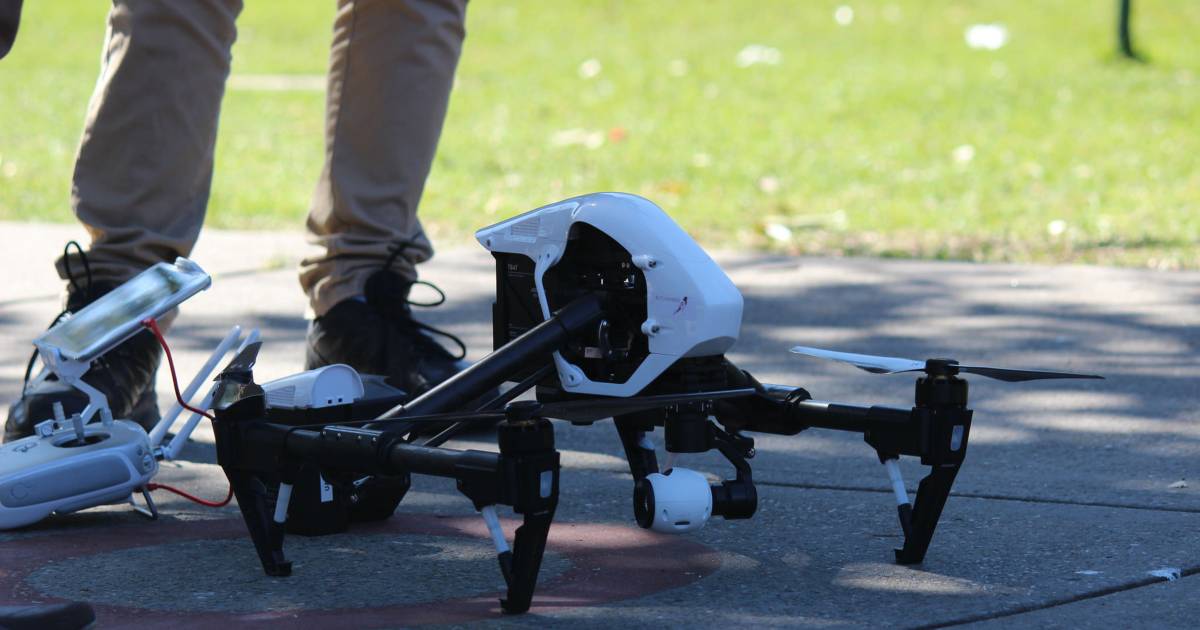
how-to-fly-drone-safety


Before You Fly—Finding a Good Place to Fly a Drone Near You

Choosing the right location to fly your drone is crucial not only for the safety of your operations but also to ensure compliance with local regulations.

Here are some tips on how to find a suitable place to fly your drone:

Check Local Drone Laws

Before flying, make sure you are up-to-date with the local regulations.

This includes being aware of no-fly zones, altitude restrictions, and any temporary restrictions that might apply.

If this sounds intimidating, don’t worry—the FAA’s B4UFLY app provides real-time information about airspace restrictions and other flying requirements in your vicinity.

Seek Community Advice

Joining local drone clubs or online communities on Facebook, forums, or elsewhere can provide insights into the best flying spots.

Experienced pilots can offer advice on both popular and lesser-known locations, as well as tips on how to fly safely in different environments.

Scout for Scenic Locations

If your interest in drone flying includes photography or videography, look for scenic locations that are not only safe and legal but also visually appealing. Make sure these areas are not overcrowded, and be mindful of both privacy and not harassing wildlife while flying.

Want some guidance? Check out our Where to Fly directory, organized by City and State.
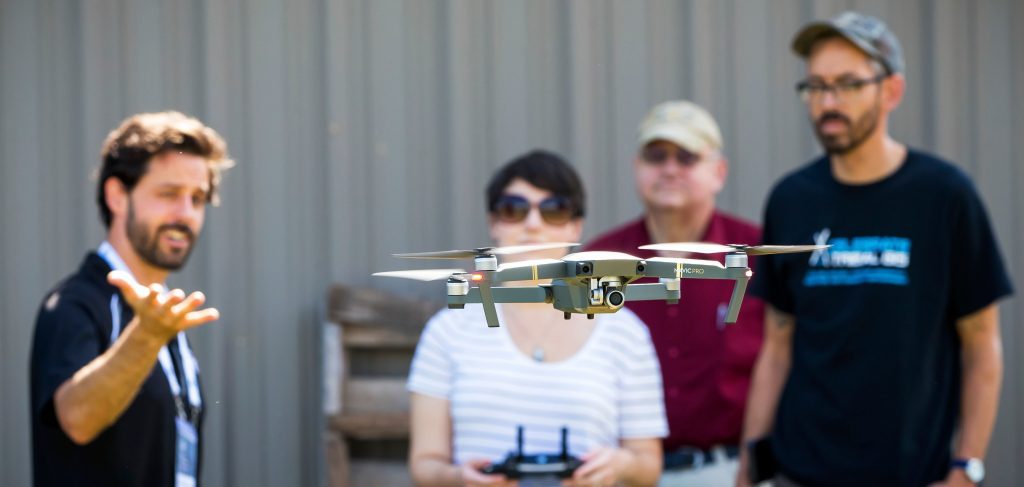
how-to-fly-drone-finding-locations


Before You Fly—Pre-flight Prep

A successful flight starts way before you put your drone in the air, with a strong pre-flight protocol.

Here are key steps you should take:

Understanding Weather Conditions

  • Check weather forecasts. Avoid flying in unfriendly weather conditions like high winds, rain, or fog, which can affect the drone’s performance and camera visibility.
  • Understand temperature impact. Be aware that extreme temperatures, including extreme cold and heat, can affect battery performance and flight stability.
  • Wind speed and direction. Always know the wind conditions before and during your flight. High winds can drain the battery faster and make control difficult.

Checking Your Drone and Controller

  • Connectivity check. Ensure that the controller is properly linked to the drone and that all communication signals are stable.
  • Load latest firmware. Update your drone and controller (if applicable) with the latest firmware from the manufacturer to ensure all software is up to date and secure.
  • Configure settings. Adjust settings such as return-to-home altitude, maximum flight distance, and obstacle avoidance according to your flight plan and environment.
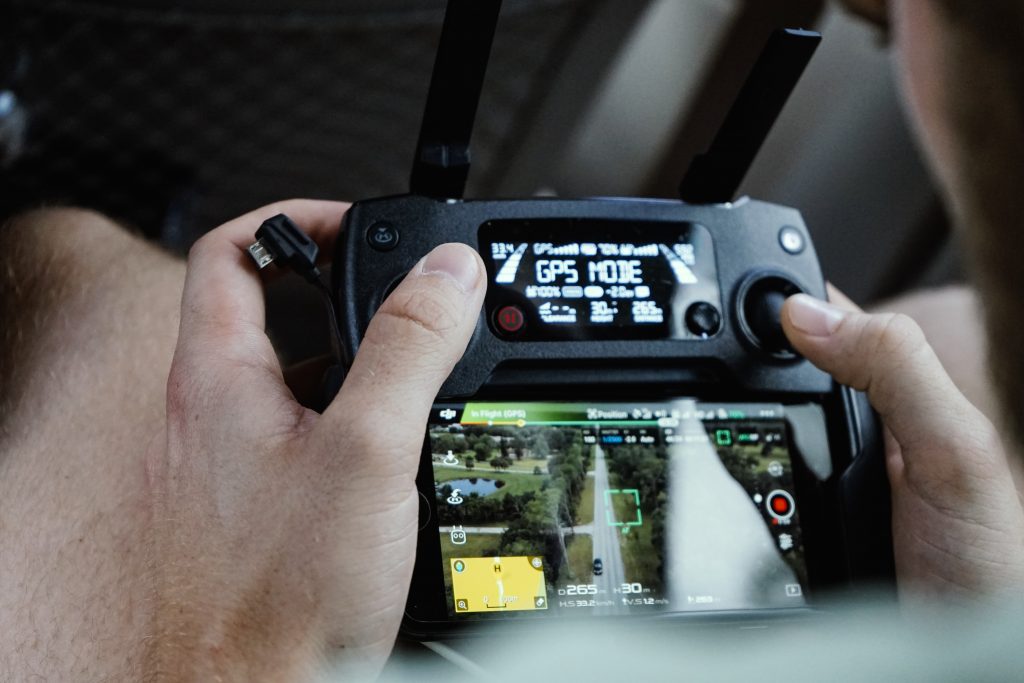
how-to-fly-pre-flight-checklist

Do a Pre-flight Check

  • Inspect your drone. Check for any damage to the body, propellers, and camera. Ensure all components are secure and functioning properly.
  • Update firmware. Make sure firmware is updated to the latest version.
  • Calibrate sensors. Always calibrate the drone’s compass and check the IMU and GPS signals to ensure they are working correctly. This can prevent issues like drifting or erratic flight behavior.
  • Check the battery. Make sure the drone’s battery and the controller’s battery are fully charged and in good condition. This includes looking for any swelling or damage to the battery packs.
  • Review the flight plan. Confirm that your planned flight path is clear of obstacles and within legal flying zones. Use drone mapping apps to check for any airspace restrictions.

Flying—Getting to Know Your Drone’s Remote Controller

Want to be good at flying a drone? Mastering your remote controller is key.

This section provides an overview of common features and tips for using your drone’s RC.

Understanding the Controller Layout

Drone controllers vary by model, but most share similar elements:

  • Joysticks. The left joystick typically controls altitude and rotation, while the right joystick manages forward, backward, and side-to-side movements.
  • Power button. Used to turn the controller on and off.
  • Battery indicators. Shows the remaining battery life of the remote controller.
  • Return-to-Home (RTH) button. Press this to make the drone automatically return to its takeoff point.
  • Camera controls. Includes buttons for starting/stopping video recording and capturing photos, as well as adjusting camera angles.
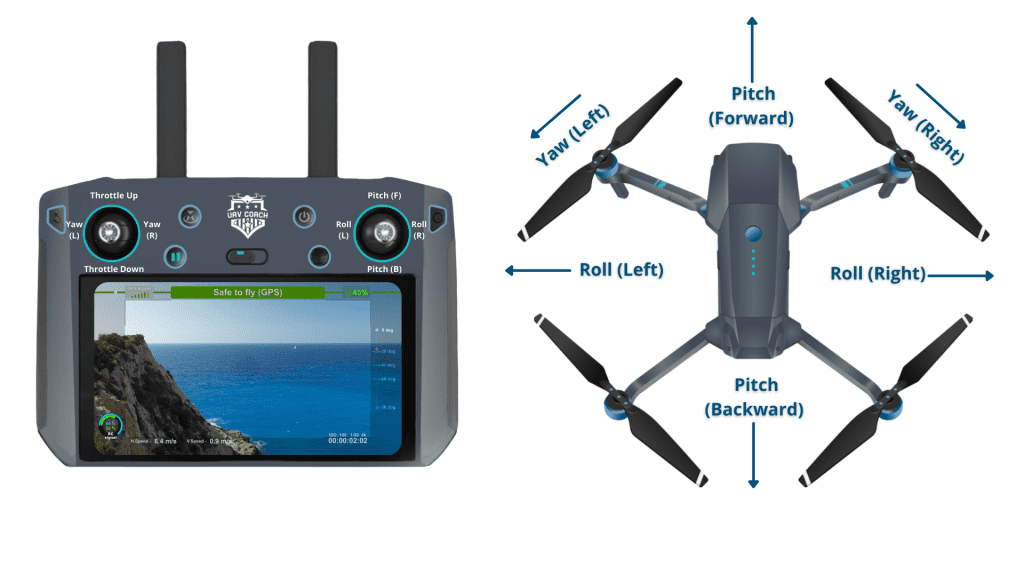
how-to-fly-4-remote-control-moves

Understanding the Four Primary Drone Controls

  • Roll. Activated by sliding the right control stick sideways. This action causes the drone to roll, influencing movement either to the left or right.
  • Pitch. Controlled by moving the right stick forward or backward. This tilts the drone, directing its movement either forward or backward.
  • Yaw. Adjusted by moving the left stick either left or right. This rotation changes the drone’s facing direction, aiding in directional shifts during flight.
  • Throttle. To ascend, push the left stick forward. To descend, pull it back. This control modifies the drone’s vertical position in the air.

Now take a closer look at each one of these.

Roll Control (Right Stick). Manipulating the right stick left or right causes the drone to roll in that direction. This rolling motion actually tilts the drone sideways, facilitating lateral movements.

For instance, if you push the right stick to the left, the drone rolls to the right and vice versa, creating a dynamic maneuver.
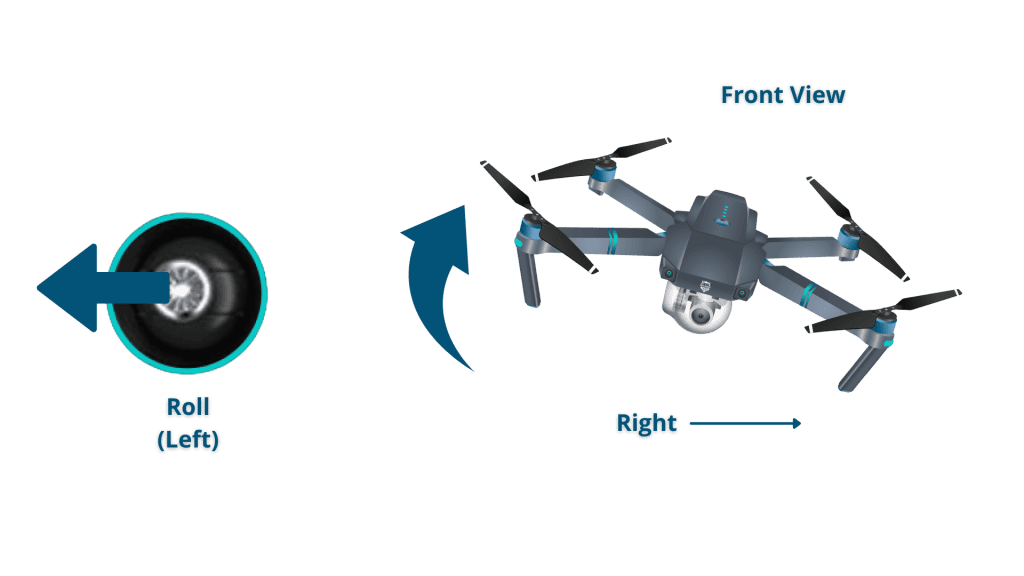
how-to-fly-drone-roll

Pitch Control (Right Stick). Moving the right stick forward or backward adjusts the pitch of the drone, causing it to move forwards or backwards by tilting it. Pushing the stick forward causes the rear of the drone to lift, propelling it forward, while pulling the stick backward makes the front lift, moving it backward.

how-to-fly-drone-pitch

Yaw Control (Left Stick). The yaw control, operated by the left stick, rotates the drone left or right. This function is crucial for changing the drone’s orientation and is often used in conjunction with the throttle to perform circular flights and complex patterns. It’s particularly useful for aerial photography and videography to keep track of moving subjects.

Throttle Control (Left Stick). The throttle is essential for takeoff and maintaining altitude. Pushing the left stick forward increases the throttle, elevating the drone, while pulling it back decreases the throttle, lowering the drone. It’s important to manage the throttle carefully, especially during landing, to avoid abrupt or damaging impacts.

Pairing the Controller with Your Drone

Before your first flight, ensure the controller is properly paired with your drone:

  • Turn on both the drone and the controller. Wait for the connection indicators on both devices to confirm they are linked.
  • If they do not automatically connect, refer to your drone’s manual for specific pairing instructions.

Effective Communication and Range

Understand the limits of your controller’s communication range:

  • Check the manufacturer’s specifications. Know the maximum range within which you can safely operate your drone without losing control.
  • Monitor signal strength. Always keep an eye on the signal strength indicator on your controller. If you notice it weakening, it’s time to fly your drone back to a closer range.

Tips for Smooth Operation

  • Maintain line of sight. Always ensure you can see your drone while flying. This not only helps in maintaining control but is also a legal requirement in many areas.
  • Avoid interference. Try to fly in areas free from interference such as heavy Wi-Fi signals or electromagnetic fields.
  • Use of accessories. Consider using a controller strap or mount for a tablet or smartphone to enhance viewing and comfort during flight.

Flying—Taking Off, Hovering, and Landing

Taking off and landing are the most basic things you can do with a drone. But that doesn’t mean you shouldn’t practice them—in fact, you should drill these activities just like you would any skill, until they become second nature.

Taking Off

  • Position the drone. Ensure the drone is on a flat surface and clear of obstructions.
  • Arm the drone. Power up the motors and slowly increase the throttle to lift off the ground.
  • Fly smoothly. Once airborne, stabilize the drone by adjusting the joysticks gently.

Hovering

  • Attain hover height. Bring your drone to a stable height, typically about five feet off the ground. This allows you enough room to correct movements without being too high.
  • Stabilize. Once at the desired height, release the throttle slowly so the drone stabilizes. Use the roll and pitch controls to maintain position if the drone starts to drift.
  • Practice small adjustments. Practice slight adjustments using the control sticks to manage the drone’s position. Keep movements small to maintain a steady hover.
  • Continuous monitoring. Keep an eye on the drone’s behavior. External factors like wind can affect hovering, requiring constant slight adjustments.

Land the Drone

  • Use smooth movements. Reduce the throttle gradually to bring the drone down smoothly.
  • Move with intention. Maintain balance and control as the drone descends.
  • Consider the landing location. Ensure the landing area is secure and flat to prevent tipping over.

how-to-fly-takeoff-landing

Flying—Basic Maneuvers

Got takeoff and landing down? Time to practice these basic maneuvers. Once you have them down, move on to the intermediate movements listed below.

Flying Forward and Backward—Basic Movement

  • Start in hover. Begin by stabilizing your drone in a hover at a comfortable height.
  • Advance forward. Gently push the right control stick forward to guide the drone forward a few feet, then gently return it to its starting position.
  • Reverse back. Pull the right stick towards you to move the drone back towards its initial spot, then stabilize it back in the starting position.
  • Shift left. Push the right stick to the left to slide the drone a few feet leftward, then carefully bring it back to center.
  • Move right. Nudge the right stick to the right to shift the drone a few feet to the right, and then return it to the center.
  • Correct orientation. If the drone begins to rotate, use the left stick to adjust and maintain its heading consistently.

Flying Left and Right—Basic Movement

  • Start in hover. Ensure your drone is hovering steadily at a safe altitude before attempting any lateral movements.
  • Move left. Gently push the right control stick to the left to guide your drone to the left. Hold the stick in position briefly to achieve the desired distance, then return it to the center to stop.
  • Return to center. After moving left, bring your drone back to its original position by gently pushing the right stick to the right until it is centered again.
  • Move right. Push the right control stick to the right to move the drone to the right. Hold until the drone moves the desired distance, then return the stick to the center.
  • Stabilize. Ensure the drone stabilizes back in the center after each movement. Adjust with slight nudges on the control stick if necessary.

Flying Continuously—Intermediate Movement

  • Start in hover. Ensure your drone is hovering steadily at a safe altitude before beginning continuous flight.
  • Start moving forward. Slowly push the right stick forward to initiate forward movement. Keep the motion smooth to maintain control.
  • Adjust speed gradually. Increase the drone’s speed gradually by pushing the right stick further forward, but avoid sudden movements that could destabilize the drone.
  • Continuous monitoring. Constantly monitor the drone’s path for any obstacles or changes in the environment. Use small adjustments on the right stick to steer as needed.
  • Use yaw controls. Incorporate gentle yaw movements by nudging the left stick left or right to change the drone’s direction without halting its forward motion.
  • Practice turns. Practice long, sweeping turns by combining yaw (left stick) and lateral movements (right stick) to help maintain a smooth trajectory.
  • Manage altitude. Adjust the drone’s altitude by using the left stick up or down if necessary to navigate different terrains or avoid obstacles.
  • Prepare for landing. When ready to stop, gradually reduce the speed by pulling the right stick back towards the neutral position and guide the drone to a safe landing area.

Flying with Yaw—Intermediate Movement

  • Start in hover. Begin with your drone stabilized in a stationary hover at a safe altitude.
  • Apply yaw. Gently move the left stick to the left or right to initiate a yaw movement. This control rotates the drone around its vertical axis.
  • Control the turn. Hold the left stick in the desired direction until the drone turns to the angle you want. The further you push the stick, the faster the yaw.
  • Maintain altitude. Use slight adjustments on the right stick up or down if necessary to maintain a constant altitude during the turn.
  • Smooth movements. Aim for smooth and steady stick movements to keep the yaw motion controlled and predictable.
  • Practice coordination. Practice coordinating your yaw movements with other controls like forward or lateral movement to perform more dynamic and complex maneuvers.
  • Stop the rotation. To stop yawing, gently return the left stick to the center position and allow the drone to stabilize.
  • Return to hover. After completing the turn, ensure the drone is back in a stable hover before proceeding with further flight operations.

Flying—Flying in a Circle, Square, and Figure 8

Flying in a Square

  • Start in hover. Begin by hovering your drone at a safe, stable altitude where you have clear visibility and control.
  • Move forward. Gently push the right stick forward to move the drone straight ahead. Maintain this direction for a few seconds to create the first side of the square.
  • Turn 90 degrees. Use the left stick to gently rotate the drone 90 degrees to the right. Wait until the drone stabilizes in this new direction.
  • Move forward again. Push the right stick forward again to create the second side of the square. Keep the movement steady and aligned with the first side.
  • Turn 90 degrees again. Rotate the drone another 90 degrees to the right and stabilize.
  • Repeat forward movement. Continue moving forward and turning 90 degrees after each segment until you complete the square pattern.
  • Final adjustment and hover. After completing the fourth side of the square, make any necessary adjustments to align the drone back to its starting point and bring it to a stable hover.

Flying in a Circle

  • Start in hover. Start by ensuring your drone is hovering steadily at a safe altitude.
  • Begin circular motion. Gently push the right stick diagonally up to the left or right, depending on which direction you want to circle.
  • Apply yaw. Simultaneously, slowly move the left stick to the left or right (opposite direction of the right stick) to initiate yaw movement, helping the drone turn in a circle.
  • Adjust the radius. Adjust the extent to which you push the sticks to widen or tighten the circle. Closer to the center makes tighter circles.
  • Maintain altitude and speed. Use subtle adjustments on the left stick up or down to maintain altitude and control the speed for a smooth circular motion.
  • Monitor and adjust. Continuously monitor the drone’s flight path and make slight adjustments to the sticks as needed to maintain a consistent circle.
  • Practice and control. Keep practicing to get smoother at controlling the motion and making the circle as even as possible.
  • Return to hover. To exit the circular pattern, gently bring both sticks back to the center and allow the drone to stabilize in a hover.

Flying in a Figure 8

  • Start in hover. Begin by getting your drone to hover at a safe height.
  • Initiate the first curve. Gently push the right stick forward to move the drone forward. Gradually add left or right input to initiate the curve.
  • Complete the loop. Smoothly continue the curve, transitioning into the second loop by reversing the direction of the turn.
  • Maintain altitude and speed. Keep a consistent altitude and speed. Adjust the throttle to manage altitude and use subtle stick adjustments to maintain control.
  • Control yaw. Use the left stick to make slight left or right adjustments to keep the drone’s nose oriented in the direction of the figure 8.
  • Finish where you started. After completing the figure 8, bring your drone back to the starting point by carefully adjusting the controls to ensure it stabilizes where it began.

Flying—Advanced Flying Practice

Once you’ve mastered the different maneuvers covered above start thinking about next steps to advance your flying skills.

Here’s a list of things to consider working on:

  • Orbiting. Fly in smooth circles around a subject while keeping it in focus—ideal for dynamic videography.
  • Bank turns. Achieve smoother turns by tilting the drone, similar to manned aircraft movements.
  • Course lock flying. Set the drone’s course to remain constant, allowing better control over the camera for complex shots.
  • Waypoint navigation. Program specific geographic points for the drone to fly to automatically, useful for precise aerial surveys.
  • Follow-me and tracking. Enable the drone to automatically follow or maintain a subject in the frame, perfect for moving shots.
  • Terrain follow. Maintain a steady altitude above ground level, ideal for flying over uneven terrains.
  • Manual exposure bracketing. Manually bracket exposures for high dynamic range imaging, beneficial for advanced photographers.
  • Indoor flight. Master indoor flying by navigating around obstacles without GPS stabilization.
  • Flipping and rolling. Perform aerial flips and rolls with high-performance drones for creative effects.
  • Thermal and night imaging. Use specialized sensors for thermal or low-light imaging, crucial for night-time operations like search and rescue or wildlife monitoring.

Flying—Videos to Help You Get Started

We’ve created several videos to help drone pilots learn how to fly a drone, starting with the basics and then moving beyond them to more advanced flying.

Here they are:

For Brand New Beginners

For Those with a Little Bit of Flight Experience

For Those Looking to Advance Their Skills

Note: The videos below are a 3-part series on NST bucket stands

Flying—How to Fly a Drone FAQ

Want more on how to fly a drone? Check out this FAQ for some of the most common questions around flying and getting started.

What are the basic steps to start flying a drone?

To start flying a drone, first ensure your drone is fully charged and properly assembled. Conduct a pre-flight check to verify that all components are functioning correctly. Begin in an open, unobstructed area by turning on the drone and the remote control. Use the takeoff button or manually increase the throttle to lift the drone off the ground. Practice hovering and simple maneuvers like ascending, descending, and gentle turns before attempting more complex flights.

Do I need a license to fly a drone?

In the United States, you need a Remote Pilot Certificate—commonly called a drone license—from the FAA to operate a drone commercially, which requires passing the Part 107 Knowledge Test. Recreational flyers do not need a license but must follow specific safety guidelines, register their drones, and pass the Recreational UAS Safety Test (TRUST).

How can I improve my drone flying skills?

Practice is key to improving your drone flying skills. Start with basic maneuvers in a safe environment, then gradually introduce more complex patterns and scenarios. Utilize drone simulators, attend workshops, and stay updated on new techniques and regulations to enhance your piloting abilities.

What are the rules for flying a drone near airports?

Drones must not be flown within a 5-mile radius of an airport without prior notification to and coordination with the airport and control tower. For controlled airspace, drone operators need to obtain airspace authorization through the FAA’s LAANC system before flying.

Can I fly my drone in national parks?

Flying drones in national parks is prohibited by the National Park Service. However, you can fly a drone in areas adjacent to national parks, provided you comply with all local and federal regulations.

What should I do if I lose sight of my drone while flying?

If you lose sight of your drone, the first step is to stop the drone’s movement by releasing the control sticks to bring it to a hover. Use the drone’s camera and any GPS features to orient and guide it back to a visible range. If equipped, use the Return-to-Home (RTH) function to safely recall your drone.

Is drone insurance necessary?

While not mandatory for recreational use, drone insurance is highly recommended, especially for commercial operators. Insurance can cover potential damages or liability caused by drone operations. Check with various providers to find a policy that fits your specific needs.

What are some common mistakes to avoid when flying a drone?

Common mistakes include flying in poor weather conditions, ignoring battery life indicators which can lead to crashes, losing line of sight, and flying in restricted areas. Always conduct a thorough pre-flight check and plan your flight path to avoid these pitfalls.